Cate Archer Game Character Walkthrough
This is the original 3D Character Workshop that started it all! The lessons are delivered in a short, easy-to-understand format.
Shane walks you through the entire character from start to final in-game character including blockout-to-high-resolution sculpting in ZBrush, retopology and UVs in 3D Coat, and map baking with rendering in Marmoset Toolbag.
What you'll get:
- ZBrush Fundamentals
- Character Design
- Character Blockout
- Refining
- Head and Hair
- Posing
- Game Character
- 3D Printing
Original Concept by Joshua Black
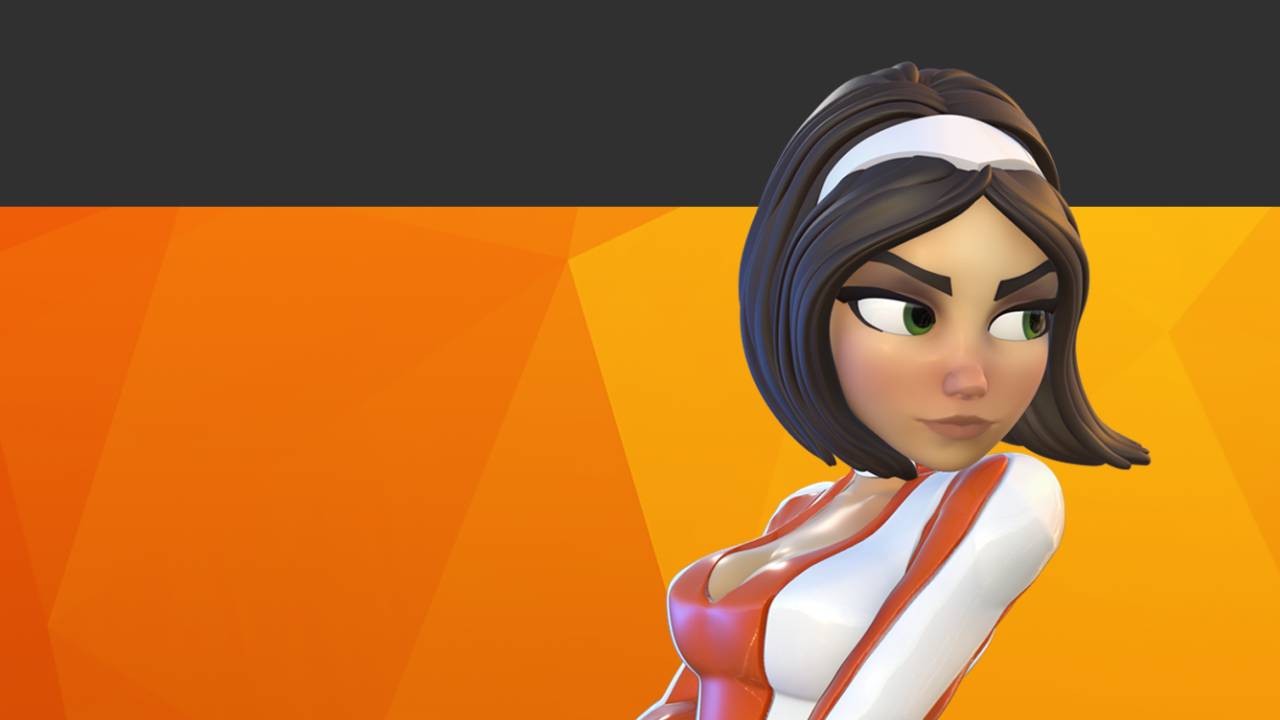
Cate Archer Game Character
-
Getting Started
2 lessons- Course Intro
- Setting up Zbrush
-
Zbrush Fundamentals
12 lessons- File Handling
- Spotlight
- Geometry
- Polygroups
- Visibility
- Masking
- Transpose Tool
- The Gizmo
- Mesh States
- Creasing
- Zbrush Folders: Model Organization
- Live Boolean
-
Character Design
8 lessons- Character Design Introduction
- Shape Language
- Rhythm and Flow
- Silhouette
- Straights Against Curves
- Variety and Interest
- Simplification and Exaggeration
- Proportions
-
Blockout
4 lessons- Character Block-Out
- Character Block-Out Example Timelapse
- Choosing a Character Concept
- Character Block-Out Example Walkthrough
-
Refining
10 lessons- The ZRemesher Pipeline Option (NEW)
- Dynamesh
- Character Surface Detailing
- Clean and Polished
- Polypaint and Materials
- Costuming
- Costuming Time Lapse
- Cloth Wrinkles
- Building Props with ZModeler
- ZModeler Time lapse
-
Detailing the Head and Hair
5 lessons- Creating Hair
- Hair Time Lapse
- Makkon Hair Brush Demo
- Detailing the Face
- Face Detailing Time Lapse
-
Character Posing
3 lessons- Prep for Posing
- Character Posing Time Lapse
- Real Time Character Posing
-
Rendering
1 lesson- Rendering in Keyshot
-
Game Character
9 lessons- Retopology for Deformation
- Face Retopology Time Lapse
- Hair Retopology Time Lapse
- Body Retopology Timelapse
- Creating the Teeth and Tongue
- Character UV Walkthrough
- UVing the Gun
- Baking Maps
- Creating Your Final Game Asset
-
3d Printing
3 lessons- Prep for 3D Printing - Part 1
- Prep for 3D Printing - Part 2
- Checking Your Mesh for Print Errors
-
Student Provided Tutorials
16 lessons- Rendering Inside of ZBrush by Federico (from Illumination Entertainment)
- Joao Sousa's Stylized Hair Method
- Rendering Clean Polypaint in KeyShot by: Scott Briscoe
- ZBrush Set Views Tutorial by: Scott Briscoe
- Ashrafil Mobin's MAg Hair Brush Tutorial
- Winston Eken: Controlling ZRemesher Shrinkage
- Creating a Clean Super Hero Mask by: Joao Sousa
- ZBrush to Marvelous Designer by: Shon Burke
- Using ZSpheres in Blockouts by: Lorenzo Procentese
- Lighting Setup Tips by: Tim Steer
- Setting Up a Reference in ZBrush by: Philly Style
- 3D Coat UV Fix by: Shon Burke
- Stephen Clark's Lighting Setup
- Adjusting UV's Inside of 3D Coat by: Shon Burke
- Understanding Normal Maps (from Polycount)
- Advanced UVs in 3D Coat by Shon Burke